
FrootAI — VS Code Extension
From the Roots to the Fruits. It’s connected, it’s simply Frootful.
The UniFAIng Glue for GenAI Ecosystem




Solution plays · AI primitives · MCP tools · Knowledge Modules · Comprehensive Glossary
📦 What’s Inside
The extension adds a FrootAI icon to your activity bar with 7 sidebar sections:
| Section | What You Get |
|---|---|
| Hi FAI | Welcome hub, Agent FAI chat, Setup Guide, Global Search (Ctrl+Shift+F9) |
| FAI Solution Plays | Configurator wizard, browse 101 plays, scaffold projects, recently used |
| FAI Primitives Catalog | 200 agents · 150 instructions · 300 skills · hooks · 70 plugins |
| FAI Learning Hub | FAI Ecosystem explorer, 16 FROOT modules, AI Glossary, Learning Center, Quizzes |
| FAI Packages | MCP server setup, npm/PyPI/Docker distribution, CLI tools |
| FAI Dev Hub | Admin guide, user guide, API reference, changelog, architecture docs |
| FAI Community | Community showcase, contribution guide, GitHub links |
Works standalone — no need to clone the FrootAI repo. Install the extension and go.
🏠 Welcome & Agent FAI
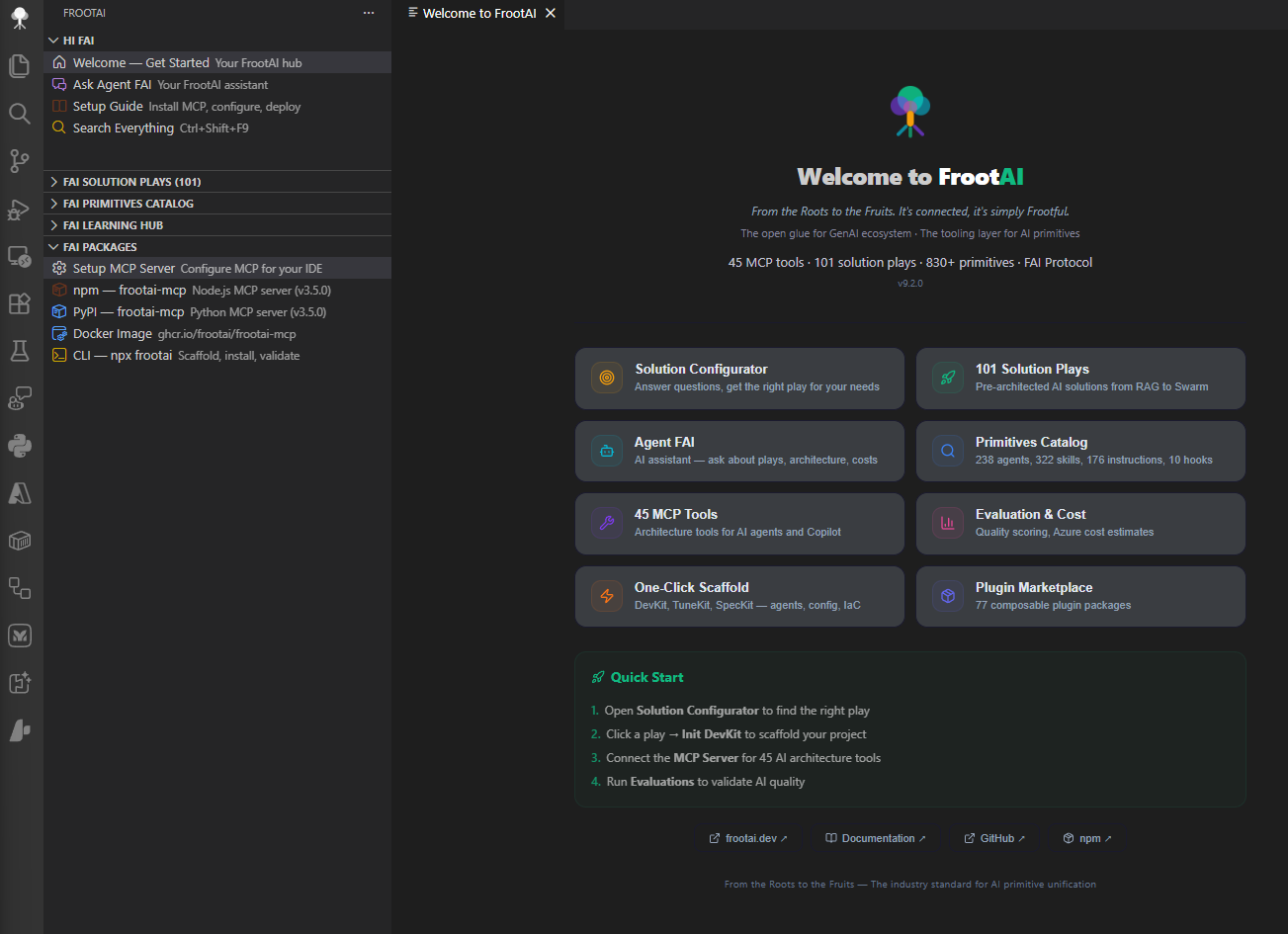
The Welcome panel is your starting point — quick-start actions, feature overview, and ecosystem links all in one place. Open it anytime with Ctrl+Shift+F11.
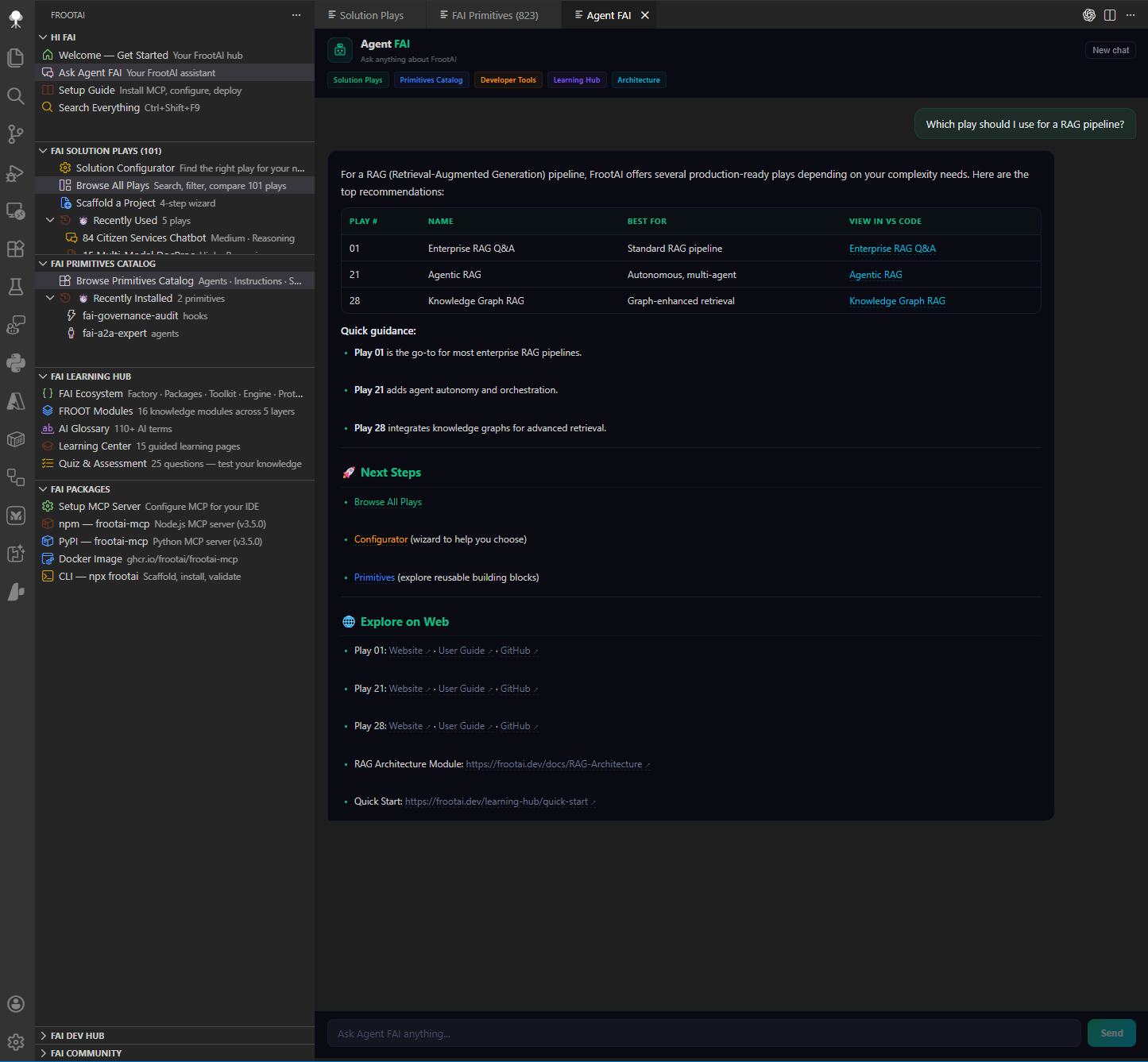
Agent FAI is your AI-powered assistant that knows the entire FrootAI ecosystem. Ask about solution plays, architecture patterns, Azure best practices, primitives — anything. Responses stream in real-time with full context awareness.
🎯 Solution Plays
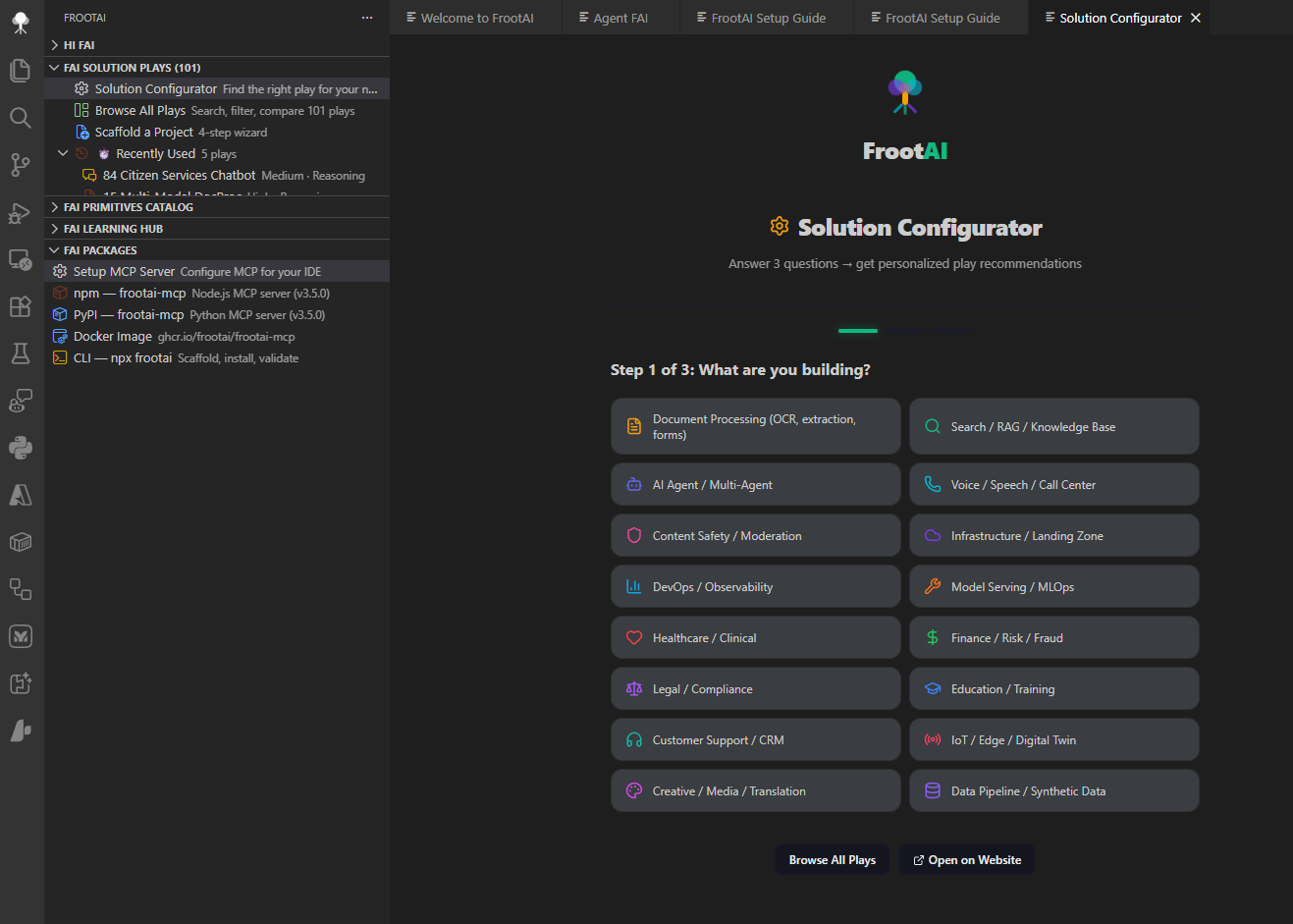
The Solution Configurator walks you through 5 questions to recommend the best play for your scenario — industry, complexity, team size, and more.
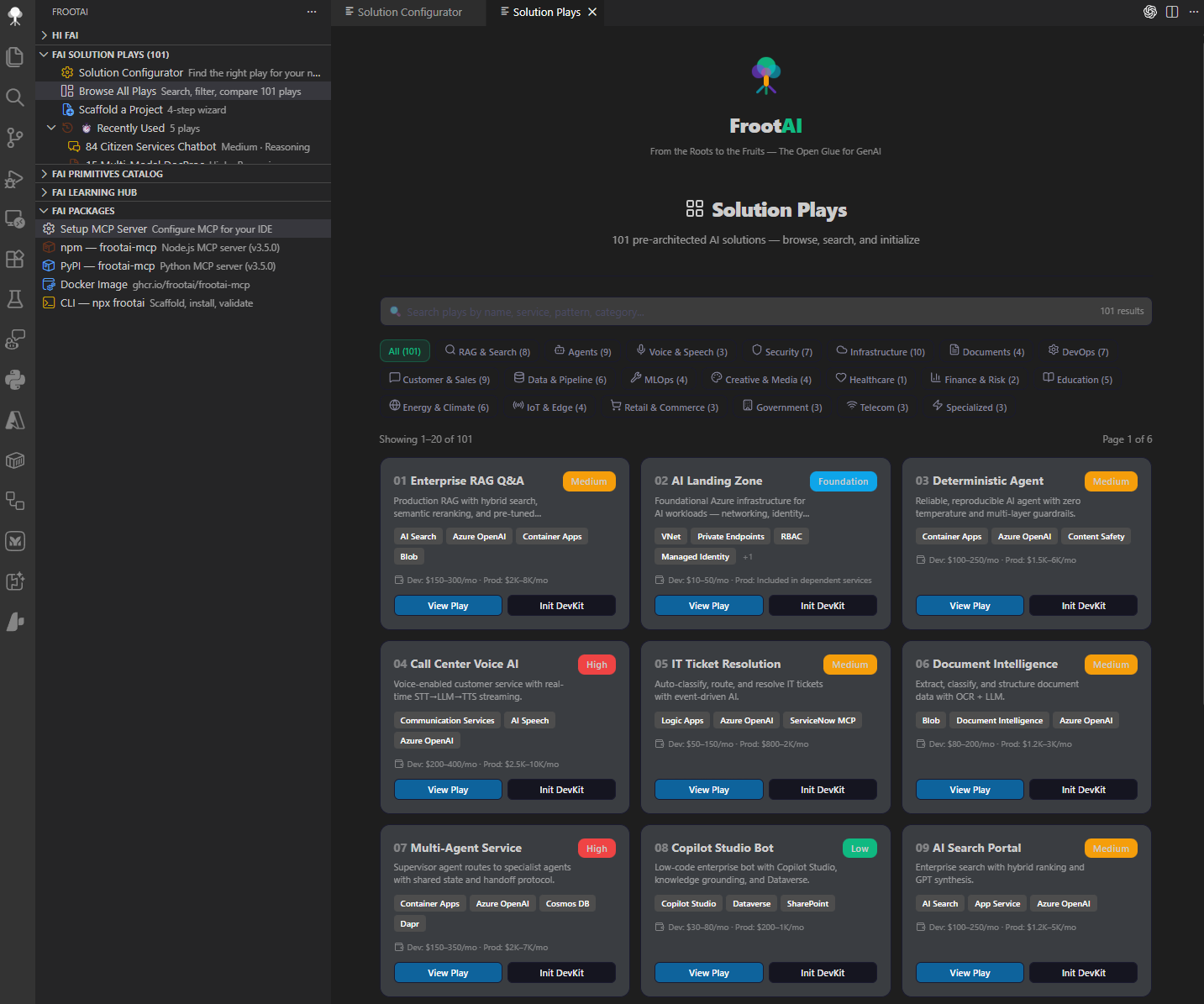
Browse All Plays gives you a searchable, filterable catalog of all solution plays. Click any play for a rich detail panel with WAF checklist, Azure services grid, tuning parameters, and cost breakdown.
Each play ships as a 4-kit structure:
solution-play/
├── .github/           DevKit — agents, instructions, skills, hooks, prompts
├── config/            TuneKit — AI parameters, guardrails, model routing
├── evaluation/        eval.py + test sets + quality scoring
├── infra/             Bicep IaC (Azure plays) or Docker Compose
└── spec/              SpecKit — architecture spec + WAF alignment
Play actions — Init DevKit · Init TuneKit · Init SpecKit · Estimate Cost · Run Evaluation · User Guide
🧩 Primitives Catalog
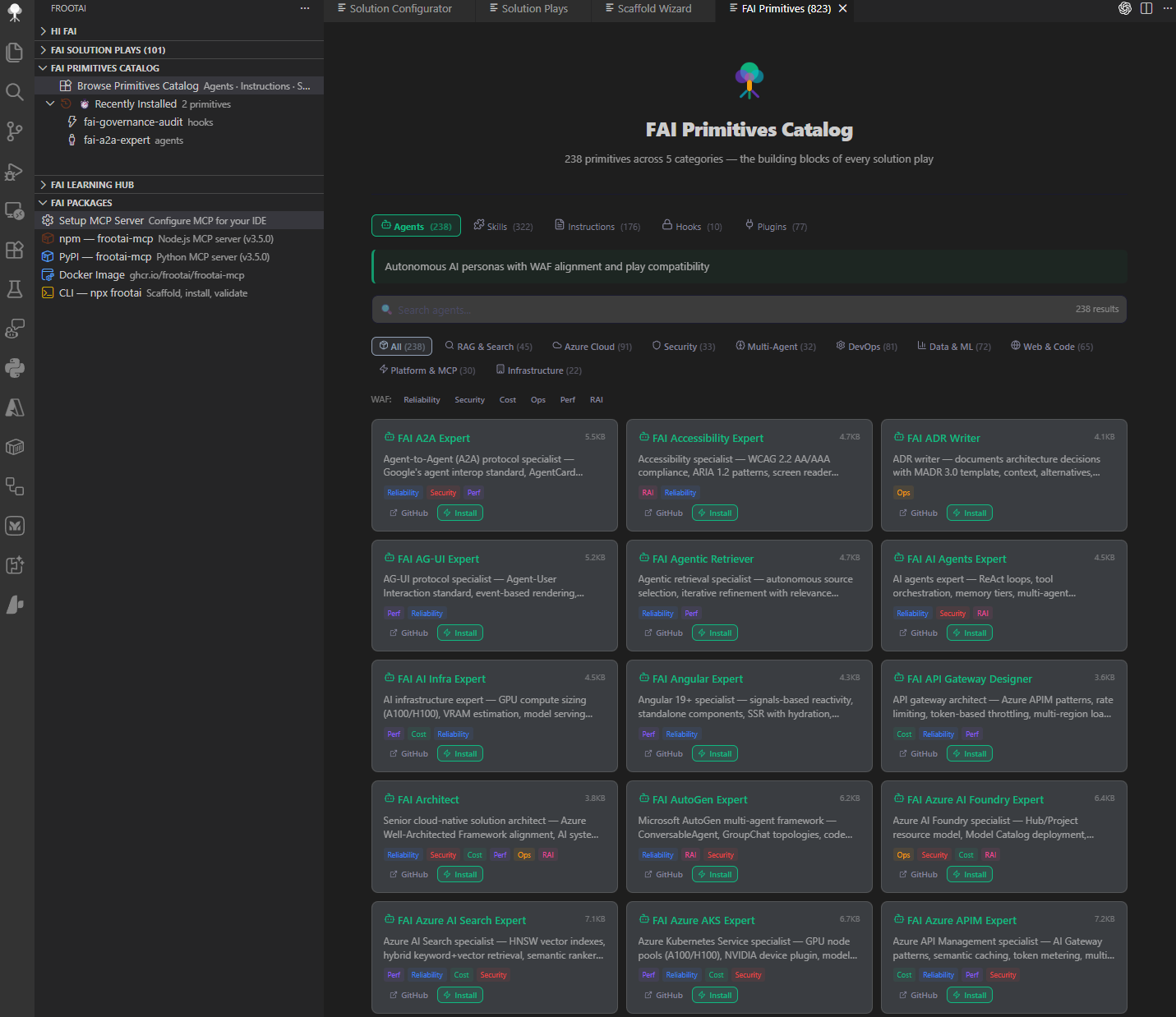
Browse AI primitives across 5 tabs with search, WAF pillar filters, and domain filters:
| Primitive | Count | What They Do |
|---|---|---|
| Agents | 238 | Specialized .agent.md files — RAG, security, DevOps, per-play builder/reviewer/tuner |
| Instructions | 176 | Coding standards, WAF guidelines, domain patterns (.instructions.md) |
| Skills | 322 | Actionable recipes — deploy, evaluate, tune, scaffold (SKILL.md) |
| Hooks | 10 | Policy gates — secrets scanning, guardrails, session validation |
| Plugins | 77 | Themed bundles of agents + instructions + skills + hooks |
One-click install for any primitive — agents use the vscode://github.copilot-chat/createAgent protocol.
📚 Learning Hub
Explore the FROOT Framework — knowledge modules across 5 layers:
| Layer | Modules |
|---|---|
| Foundations | GenAI Foundations · LLMs · Glossary · Agentic OS |
| Reasoning | Prompts · RAG · Deterministic AI |
| Orchestration | Semantic Kernel · Agents · MCP & Tools |
| Operations | Azure AI · GPU Infrastructure · Copilot Ecosystem |
| Transformation | Fine-Tuning · Responsible AI · Production Patterns |
Also includes:
- FAI Ecosystem — 6-tab explorer: Factory · Packages · Toolkit · Engine · Protocol · Layer
- AI Glossary — Comprehensive glossary with definitions and context
- Learning Center — 15 guided learning pages on frootai.dev
- Quiz & Assessment — 25 questions to test your knowledge
📡 Packages & Distribution
Set up the FAI ecosystem in your preferred format:
| Channel | Package | Install |
|---|---|---|
| npm | frootai-mcp v3.5.0 | npx frootai-mcp@latest |
| PyPI | frootai-mcp v3.5.0 | uvx frootai-mcp |
| Docker | ghcr.io/frootai/frootai-mcp | docker pull ghcr.io/frootai/frootai-mcp |
| CLI | frootai | npx frootai |
| VS Code | This extension | code --install-extension frootai.frootai-vscode |
| Website | frootai.dev | frootai.dev |
All channels ship the same 101 plays, 800+ primitives, and 25 MCP tools.
🚀 Installation
Option 1 — VS Code Marketplace (recommended):
Ctrl+Shift+X → Search "FrootAI" → InstallOption 2 — Terminal:
code --install-extension frootai.frootai-vscode⚡ Quick Start
1. Install   →  Ctrl+Shift+X → "FrootAI" → Install
2. Setup MCP →  Sidebar → FAI Packages → Setup MCP Server
3. Build     →  Sidebar → Solution Configurator → pick a play → Scaffold
That’s it — you’re ready to build AI solutions with FrootAI.
⌨️ Keyboard Shortcuts
| Shortcut | Action |
|---|---|
Ctrl+Shift+F9 | Search Everything — plays, tools, glossary, modules |
Ctrl+Shift+F10 | Browse All Plays — filterable catalog |
Ctrl+Shift+F11 | Welcome — feature overview and quick start |
🎛️ Commands (Ctrl+Shift+P) — click to expand
Ctrl+Shift+P) — click to expand| Command | Description |
|---|---|
FrootAI: Search Everything | Global search across plays, tools, glossary, modules |
FrootAI: Browse All Plays | Full catalog with categories, search, pagination |
FrootAI: Solution Configurator | 5-question wizard → personalized recommendation |
FrootAI: Welcome | Feature overview, quick start, ecosystem links |
FrootAI: Agent FAI | Streaming AI chat — ask anything about FrootAI |
FrootAI: Plugin Marketplace | Browse FAI plugins with search and filters |
FrootAI: FAI Ecosystem | Interactive 6-tab ecosystem explorer |
FrootAI: Open Primitives Catalog | AI primitives across 5 tabs with filters |
FrootAI: Open Evaluation | 3-mode dashboard: guide, demo, real workspace data |
FrootAI: Open Scaffold Wizard | 4-step wizard to bootstrap a play |
FrootAI: Initialize DevKit | .github Agentic OS files |
FrootAI: Initialize TuneKit | AI config + evaluation files |
FrootAI: Initialize SpecKit | Architecture spec + WAF alignment |
FrootAI: Initialize Hooks | guardrails.json |
FrootAI: Initialize Prompts | Slash commands |
FrootAI: Install Agent | Install FAI agent via QuickPick |
FrootAI: Install Instruction | Install FAI instruction via QuickPick |
FrootAI: Setup MCP Server | npm / pip / Docker / .vscode config |
FrootAI: Quick Cost Estimate | Azure cost breakdown by tier |
FrootAI: Run Evaluation | Auto-run eval.py + quality dashboard |
FrootAI: Auto-Chain Agents | Build → Review → Tune workflow |
FrootAI: Validate Config | Check config/*.json |
FrootAI: Validate Manifest | Schema-validate fai-manifest.json with diagnostics |
FrootAI: Open Play from Manifest | Detect play ID → open detail |
FrootAI: Look Up AI Term | AI glossary search |
FrootAI: Search Knowledge Base | Full-text search across modules |
FrootAI: Architecture Patterns | Decision guides |
🔬 FAI Ecosystem Architecture
| Layer | Component | Role |
|---|---|---|
| 🏭 | FAI Factory | CI/CD · Validation · Publishing |
| 📦 | FAI Packages | npm · PyPI · Docker · VS Code |
| 🧰 | FAI Toolkit | DevKit · TuneKit · SpecKit |
| ⚙️ | FAI Engine | Runtime · Wiring · Resolution |
| 📋 | FAI Protocol | fai-manifest.json · fai-context.json |
| 🧬 | FAI Layer | The UniFAIng Glue — Context Wiring |
Flow: Factory → Packages → Toolkit → Engine → Protocol → Layer
🔗 Links
| 🌐 Website | frootai.dev |
| 📦 npm | npmjs.com/package/frootai-mcp |
| 🐍 PyPI | pypi.org/project/frootai-mcp |
| 🐳 Docker | ghcr.io/frootai/frootai-mcp |
| 💻 GitHub | github.com/frootai/frootai |
| 🤝 Community | frootai.dev/community |
| 📖 Contribute | frootai.dev/contribute |
| 📚 Learning Hub | frootai.dev/learning-hub |
From the Roots to the Fruits.
It’s connected, it’s simply Frootful.
MIT License · © 2026 FrootAI